

Design Systemjiajialin.me
The colors, glass, type, space, motion and components behind this desktop. The page reads tokens.css when the site builds and checks every token against the code, so it only shows what the site really uses: 286 tokens right now.
- Figma
- Taken straight from a Figma frame (198)
- Merged
- Near-duplicate Figma values merged into one (1)
- Code
- Not in Figma: added or tuned in code (87)
Moments
The details most visitors won't consciously notice, and the reason each one is there. 34 of them, all running on the site now.
Arriving
Letters rise in, one at a time
“hey! i’m jia” rises letter by letter, 45ms apart, on a gentle spring. Hover a letter and it floats up; its neighbours follow a little, so it reads as a ripple instead of one key pressed.
Try it: Run the pointer along the headline.
desktop/Headline.module.css“feel” writes itself
Once the letters land, a pen writes the one handwritten word: a round stroke travels a path traced by hand through the Cedarville letters, in the order you’d write them, up the f’s loop, down its stem, then e, e, l. Hover it and it writes again.
Try it: Hover “feel”.
desktop/FeelInk.tsxA notification with somewhere to go
At 1.1 seconds a Notes notification slides in from the right. It announces an essay, and clicking it opens Notes on that essay. Like macOS, it swipes away to the right, or closes with the × that appears on hover.
desktop/ExploringCard.tsxThe painting moves
A slow current drifts the river painting under the glass, and the glass bends, splits and frosts whatever passes beneath it. With reduced motion the current stops and the rest stays.
river/River.tsxThe painting keeps Stanford time
The river follows Jia’s clock, not yours. Around sunset at Stanford it warms with a soft amber wash, after dark it cools and dims, and by day it’s untouched. Sunrise and sunset are the real ones for today, so the light moves with the seasons, gliding over minutes instead of jumping.
Try it: Add ?time=19:05 to the address to see golden hour.
river/StanfordLight.tsxIt remembers where you left off
Come back a day or a week later and a “Welcome back” notification offers the last case study, essay or film you had open. It never opens anything by itself, it’s offered once, and it lives only in your browser.
desktop/WelcomeBack.tsx
A tip that only shows once
A few seconds after the desktop settles, a macOS Tip teaches Spotlight. It stays while you hover or focus it, and it never comes back once you’ve seen it or found Spotlight on your own.
desktop/SpotlightTip.tsx
Spotlight
Search the whole site
⌘K, “/” or the magnifier opens it (a small ⌘K keycap beside it says so; Ctrl K off Apple devices). So does typing on the empty desktop, like Finder. Results come from the site’s own content, so a new case study, film or role is searchable the day it’s added.
Try it: Press ⌘K on the desktop.
desktop/Spotlight.tsx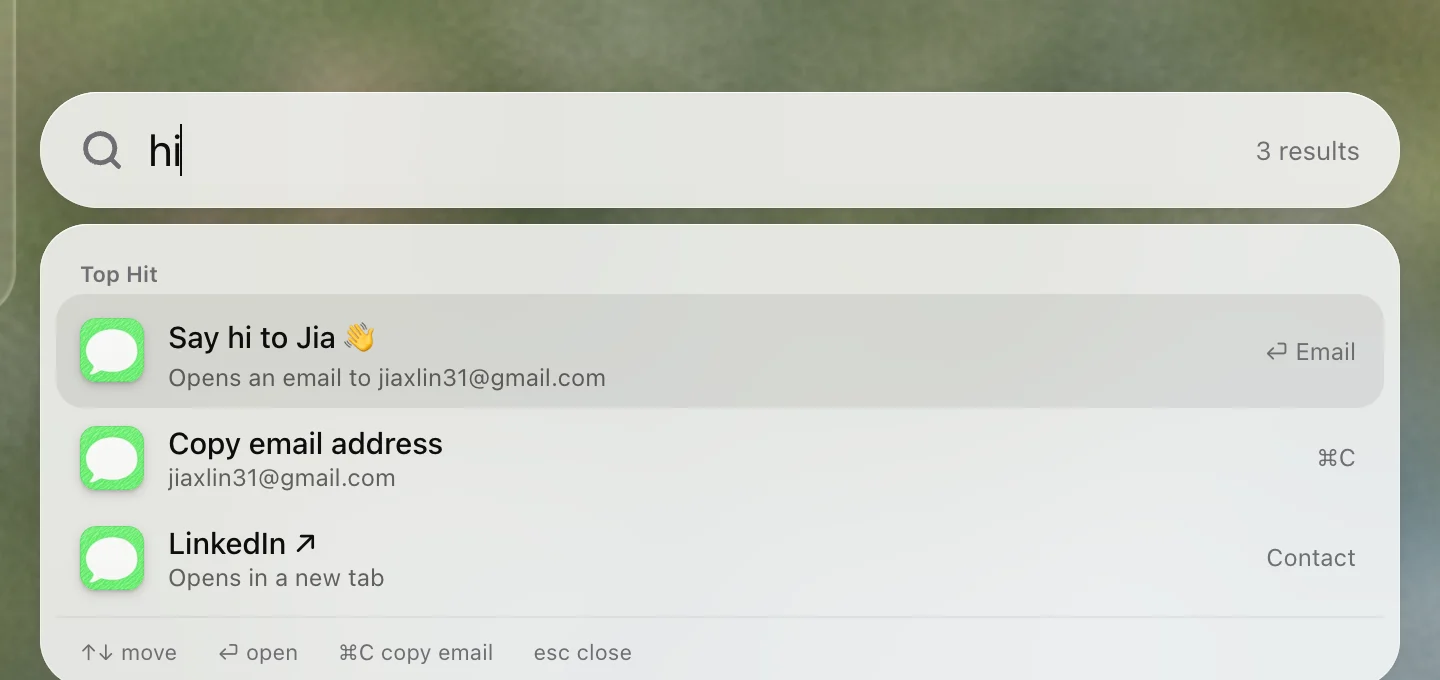
It says hi back
Type “hi”, “hello”, “hire” or “coffee” and it answers like a person: “Say hi to Jia 👋”, with an email one keystroke away. ⌘C copies the address.
desktop/spotlightIndex.ts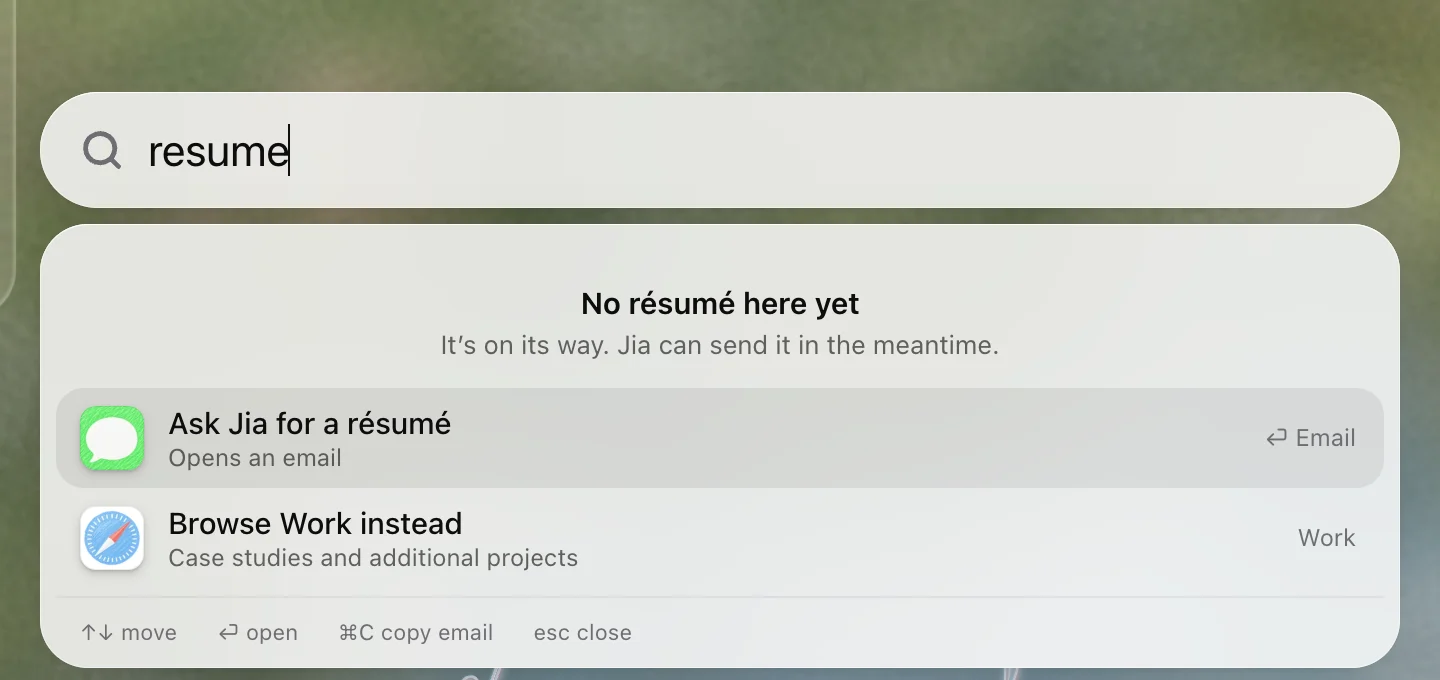
It’s honest about the résumé
Search “resume” and instead of an empty list it says “No résumé here yet. It’s on its way.” and offers to email Jia for one.
desktop/spotlightIndex.ts
macOS, down to the details
Windows grow out of what opened them
Every window grows from the icon, menu item or card that opened it and shrinks back into it when it closes. Focus goes back there too.
desktop/Window.tsxThe dock behaves like a dock
An app that isn’t running bounces once as it launches, and running apps get a dot. While Work is full screen the dock hides; it comes back when the pointer reaches the bottom edge and stays while it has focus or its menu is open.
desktop/Dock.tsxThe traffic lights work
Close closes, yellow minimizes, and green switches Work between full screen and a floating window (so does double-clicking the toolbar). In full screen the menu bar tucks away.
desktop/TrafficLights.tsx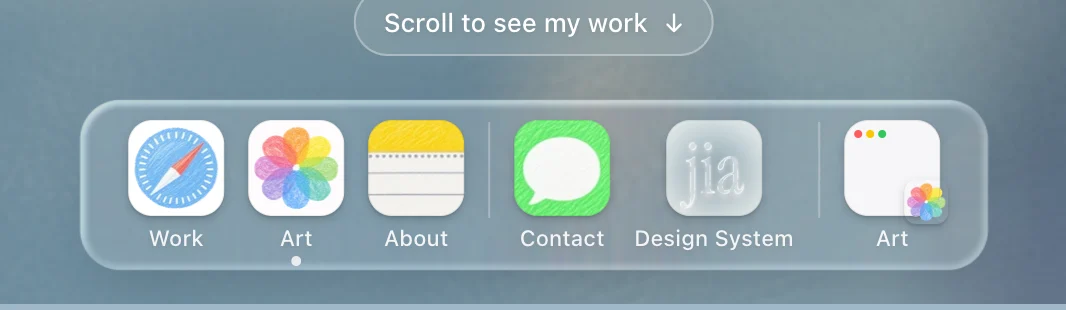
Minimize shrinks into the dock
The yellow light shrinks a window into its own thumbnail at the end of the dock: a tiny window card with the app’s icon as a badge. The window stays open underneath, so its scroll position and anything you were looking at survive. Click the thumbnail or the app’s icon and it grows back out from the same spot, and focus follows it both ways.
Try it: Open Art from the dock and click the yellow light.
desktop/Window.tsx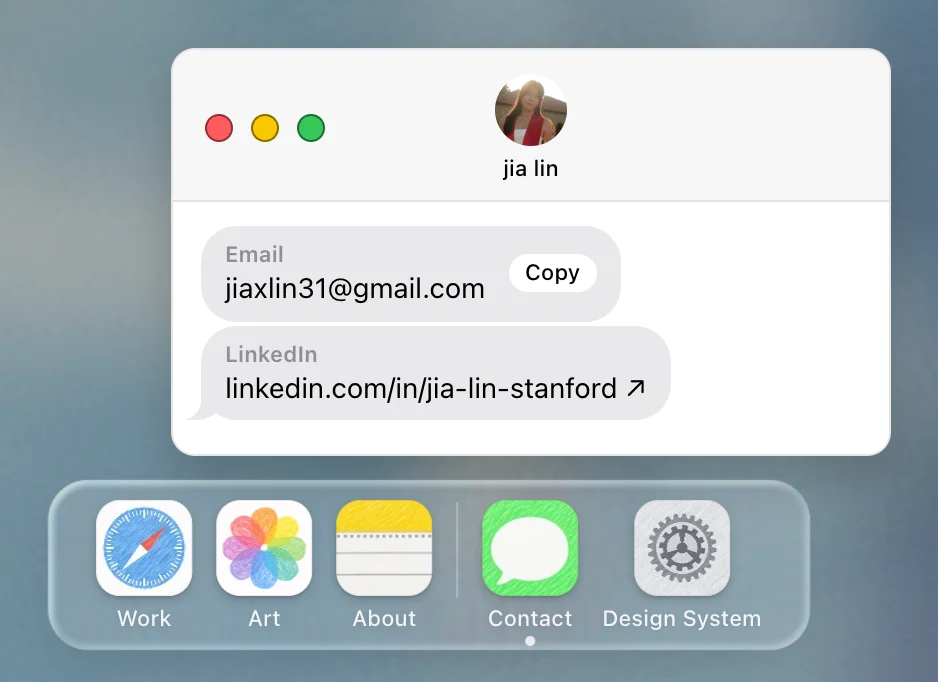
Contact opens right above its icon
Contact opens a small Messages window with Jia’s email and LinkedIn as two message bubbles. It opens just above its dock icon, where your eyes already are, and the email bubble has a Copy button for when there’s no mail app.
Try it: Click Contact in the dock.
desktop/windows/MessagesWindow.tsxWindows have a little weight
Drag a window and it leans into the direction you’re moving, pivoting on the spot you grabbed, while its shadow deepens as if lifted. Let go and it settles upright on a soft spring; flick it and it glides a little further before stopping. Only the small windows do this: the big ones (Notes, Photos) simply follow the pointer, since a lean on a wide window reads as wobble.
Try it: Open Contact and fling it across the desktop.
desktop/Window.tsxWindows stay where you left them
Drag a window, visit the design system or a case study page, and come back: every window is exactly where you left it, and a minimized one is still in the dock. Close one and reopen it, and it goes back to its old spot.
desktop/DesktopProvider.tsxRight-click the desktop
A real macOS context menu opens where you click, and every item does something: Get Info, Search Jia’s Mac…, Copy Email Address, Open Design System. Get Info is the colophon, a Finder info panel for the site itself. Right-click a window, card or link and you get the browser’s menu as usual.
Try it: Right-click an empty part of the desktop, or press Shift+F10.
desktop/DesktopMenu.tsxThe clock is Jia’s
The menu bar shows the time at Stanford, not the visitor’s, and it ticks over exactly on the minute.
desktop/StanfordClock.tsxScroll to see the work
Scrolling down on the home page opens Work, because that’s how most people look for more. The “Scroll to see my work” hint is a real button, so it works without a wheel too.
Try it: Scroll down on the desktop.
desktop/ScrollToWork.tsx
Reading the work
Studies open as a sheet
A case study rises as a white sheet inside Safari, over the dimmed grid. The URL is the study’s own, so it can be shared and Back closes it, and the address bar follows along.
case/CaseSheet.tsxSafari loads the page
Opening a case study runs Safari’s thin blue progress line along the bottom of the address field: quick at first, slowing near the end, then finishing and fading as the study’s address arrives.
desktop/windows/SafariWindow.tsxExpand grows in place
Expand makes the same sheet grow to fill Safari over 400ms, its margins and corners easing out. Nothing reloads.
case/CaseSheet.tsxClosing goes one step at a time
Full page, then sheet, then grid. Focus lands back on the card you opened.
case/CaseSheet.tsxA wrong password shakes
Like the macOS login screen, the field shakes three times in 0.4 seconds, the cursor goes straight back in, and a way in appears: “Email Jia for access”, with the study’s name already in the subject. After three misses it gets a little bolder. With reduced motion there’s no shake, just the message.
case/LockPanel.tsxUnlocking starts from the top
After the password, a protected study starts at the top and focus moves to its title, so keyboard and screen reader users land in the right place.
case/FocusOnArrival.tsxLong stories keep their place
On wide screens a sticky section nav sits in the gutter of the full stories and highlights the section in view.
case/SectionNav.tsx
Art
Photos grow out of their tiles
Opening a photo grows its thumbnail into the full image, and closing shrinks it back into its tile. Arrow keys step through; Esc goes back to the grid.
desktop/windows/ArtWindow.tsxFilms play like they’re on a Mac
YouTube films play under macOS Photos controls, with YouTube’s title and logo hidden and a poster over its start screen. The controls fade 2.5 seconds after the pointer stops.
desktop/windows/FilmPlayer.tsx
Underneath
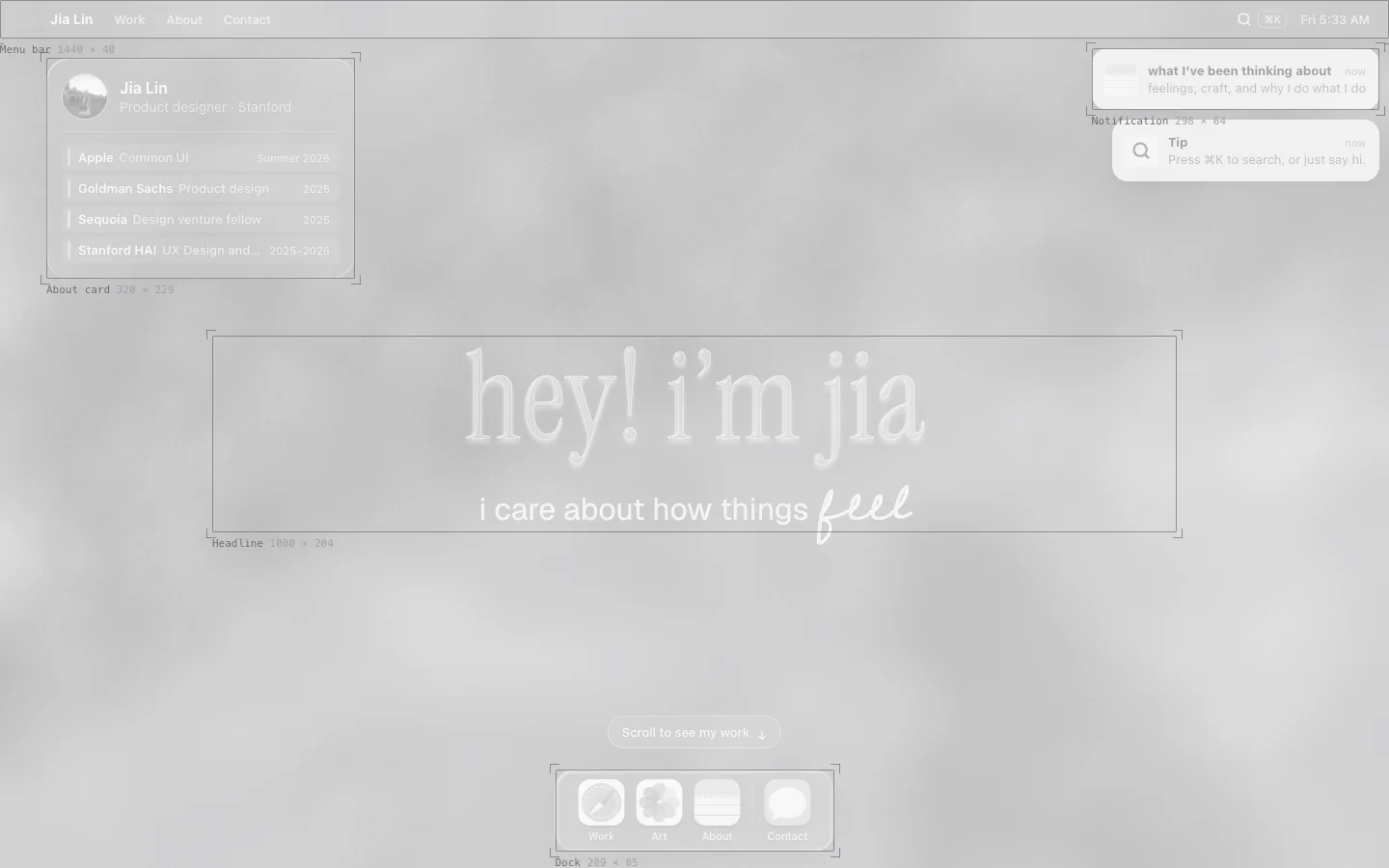
The blueprint doorway
Hover the “jia” mark in the menu bar and it turns into its construction drawing. Click, and the desktop greys out and outlines every surface with its size before this page arrives.
blueprint/BlueprintMark.tsxGlass letters without muddy shadows
The headline’s shadows are cut out of the letters, so they never show through the translucent glass.
desktop/GlassTextFilters.tsxA Control Center for visitors
The switches icon in the menu bar opens a small Control Center. Reduce Motion stills the whole site, from the painting’s drift to window zooms, without touching system settings; if the system already asks for less motion, the tile says so and stays on. Painting switches the river between blurred and sharp, and the glass cards stay frosted over it so their text stays readable. Both choices are remembered on this device and applied before the page draws.
Try it: Click the switches icon next to the clock.
desktop/ControlCenter.tsxEvery animation has an off switch
With reduced motion, from the system or the Control Center, each effect has a still version: the painting holds, letters and cards start in place, and “feel” is already written.
styles/motion.module.cssFocus is never lost
Windows take focus when they open and give it back when they close. In Spotlight the field keeps focus while the arrow keys move through results.
desktop/DesktopProvider.tsx
Accessibility
- Reduced motion gets a still composition. The painting stops drifting, letters and cards start in place, and “feel” is already written.
- Control Center puts the settings in view. The two-switch icon in the menu bar opens a panel like the macOS one, with two tiles: Reduce Motion, and Painting (blurred or sharp). Choices are saved on the visitor’s device and applied before the first paint, so nothing flashes. If Reduce Motion is already on in System Settings, the tile shows that and stays on. Focus moves into the panel when it opens, and Esc closes it.
- Everything works from the keyboard. Windows take focus when they open, close with Esc, and hand focus back to whatever opened them.
- Focus rings follow the surface. White over the painting, near-black on the white windows and pages.
- Glass keeps its text readable. Windows add a faint dark tint under the white glass (not in Figma) so white text keeps WCAG contrast over the pale water.
- Nothing is said by motion alone. The canvas is decorative and hidden from assistive tech; everything on it is real HTML.
Surfaces
Every window and page on the site, captured from the live build. Each one is assembled from the tokens, materials and components below.
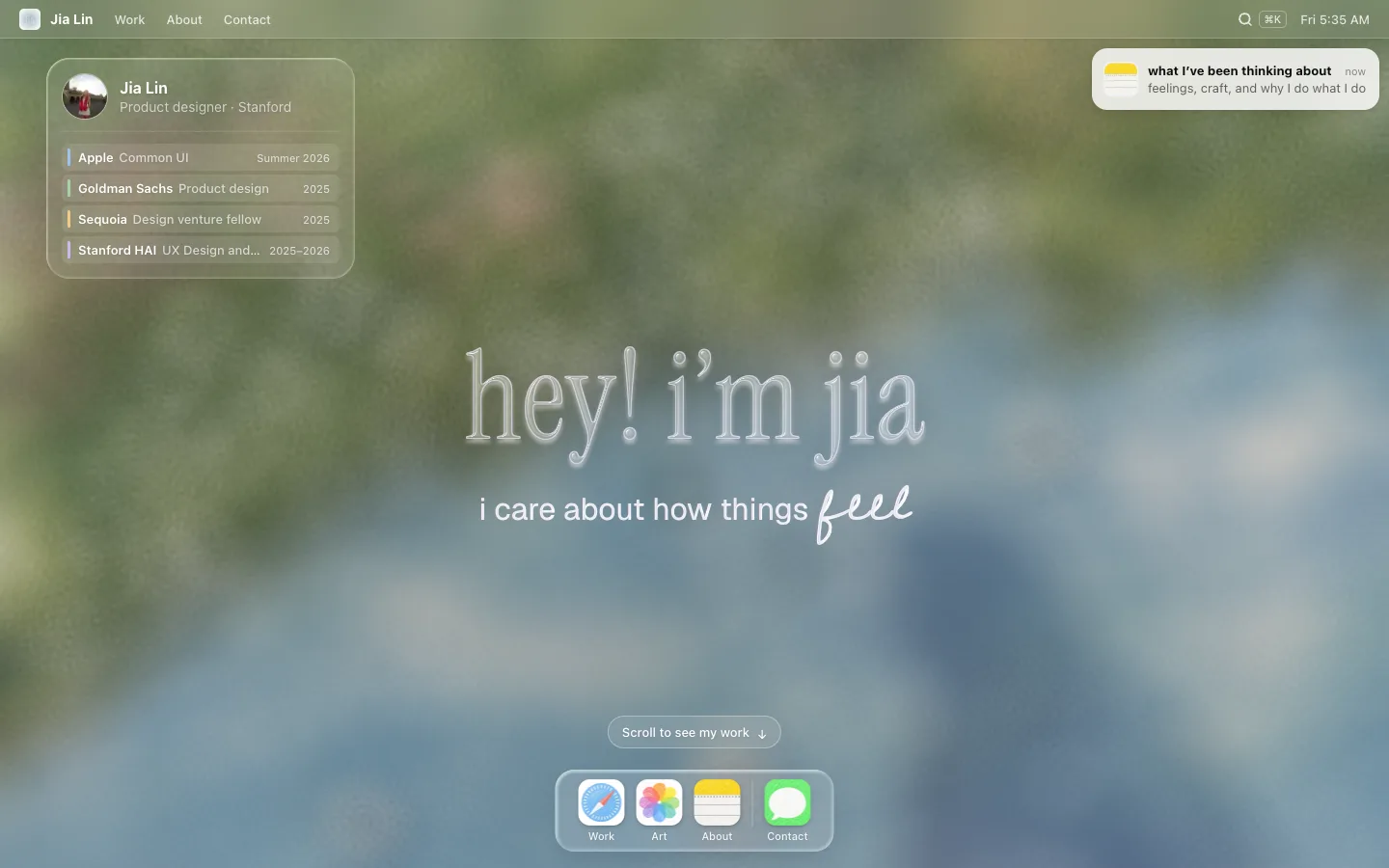
Desktop
Menu bar, About card, notification, glass headline and dock over the river painting. One screen; nothing scrolls.
app/page.tsxFigma 8300:1685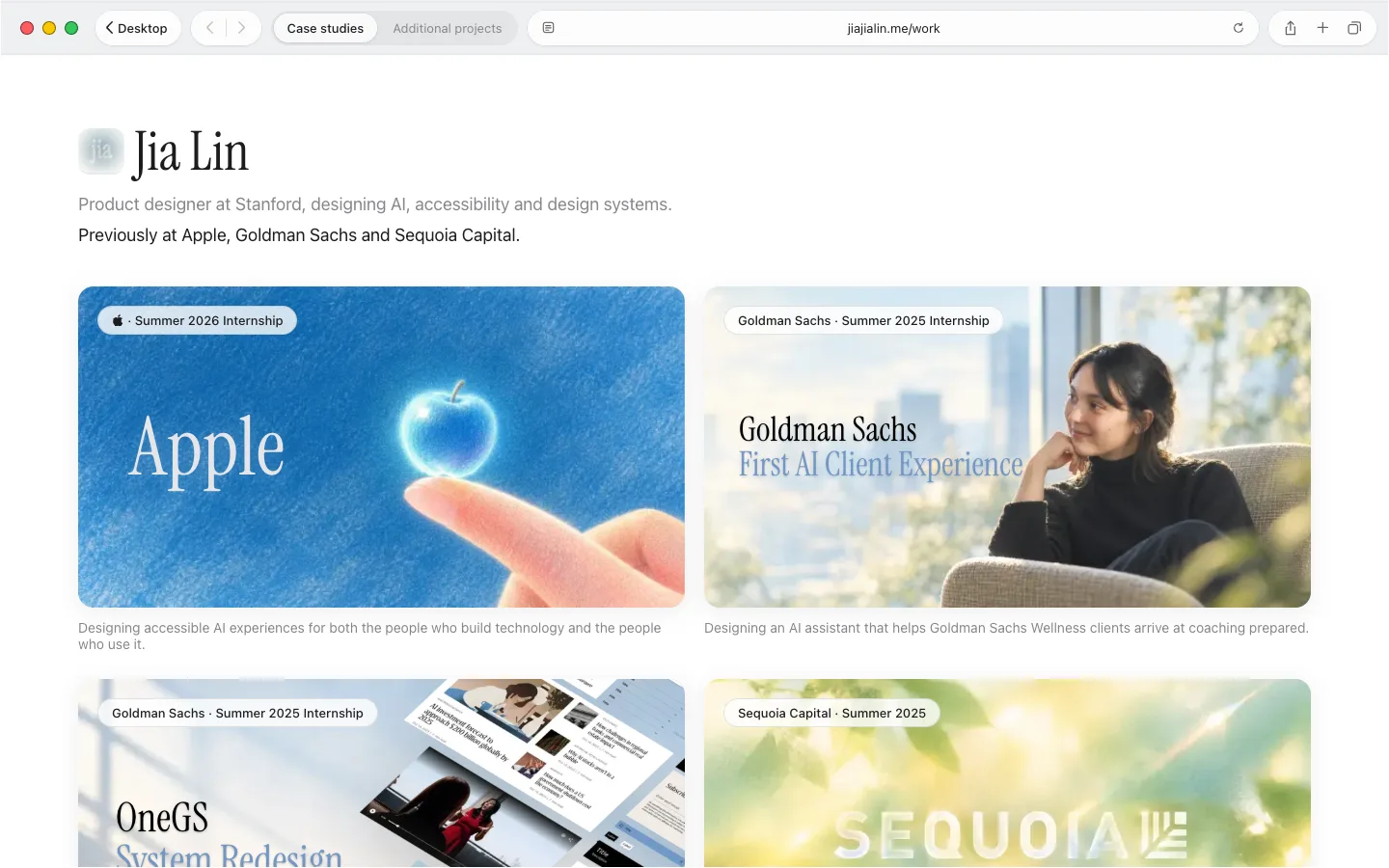
Work · Safari window
Fills the screen under the menu bar while the dock auto-hides, like macOS. Tabs jump between case studies and additional projects.
desktop/windows/SafariWindow.tsxFigma 8300:2053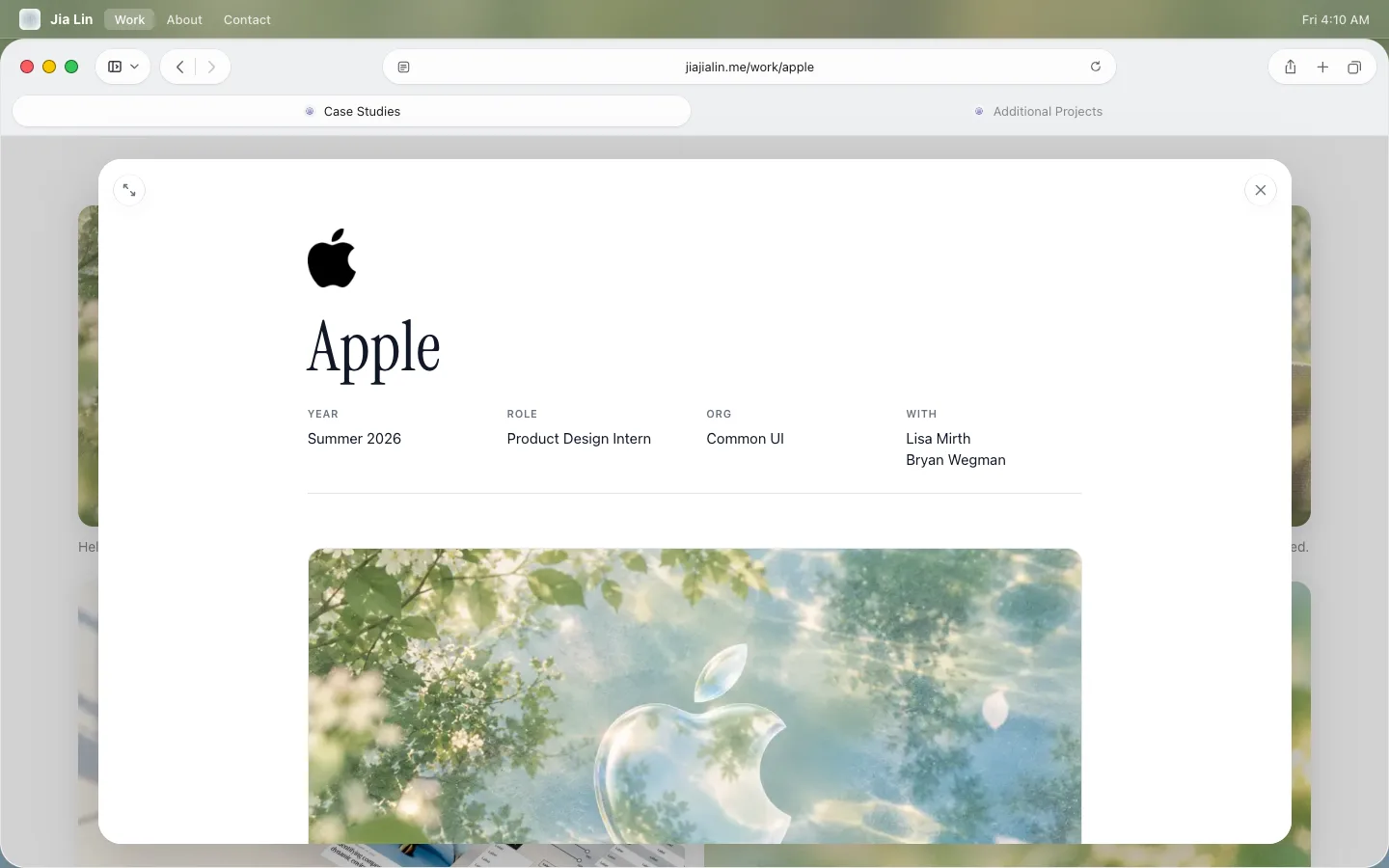
Case study sheet
A study opens as a sheet inside Safari over the dimmed grid (an intercepting route), so the address bar shows its own URL. Esc, × or the grid close it.
case/CaseSheet.tsx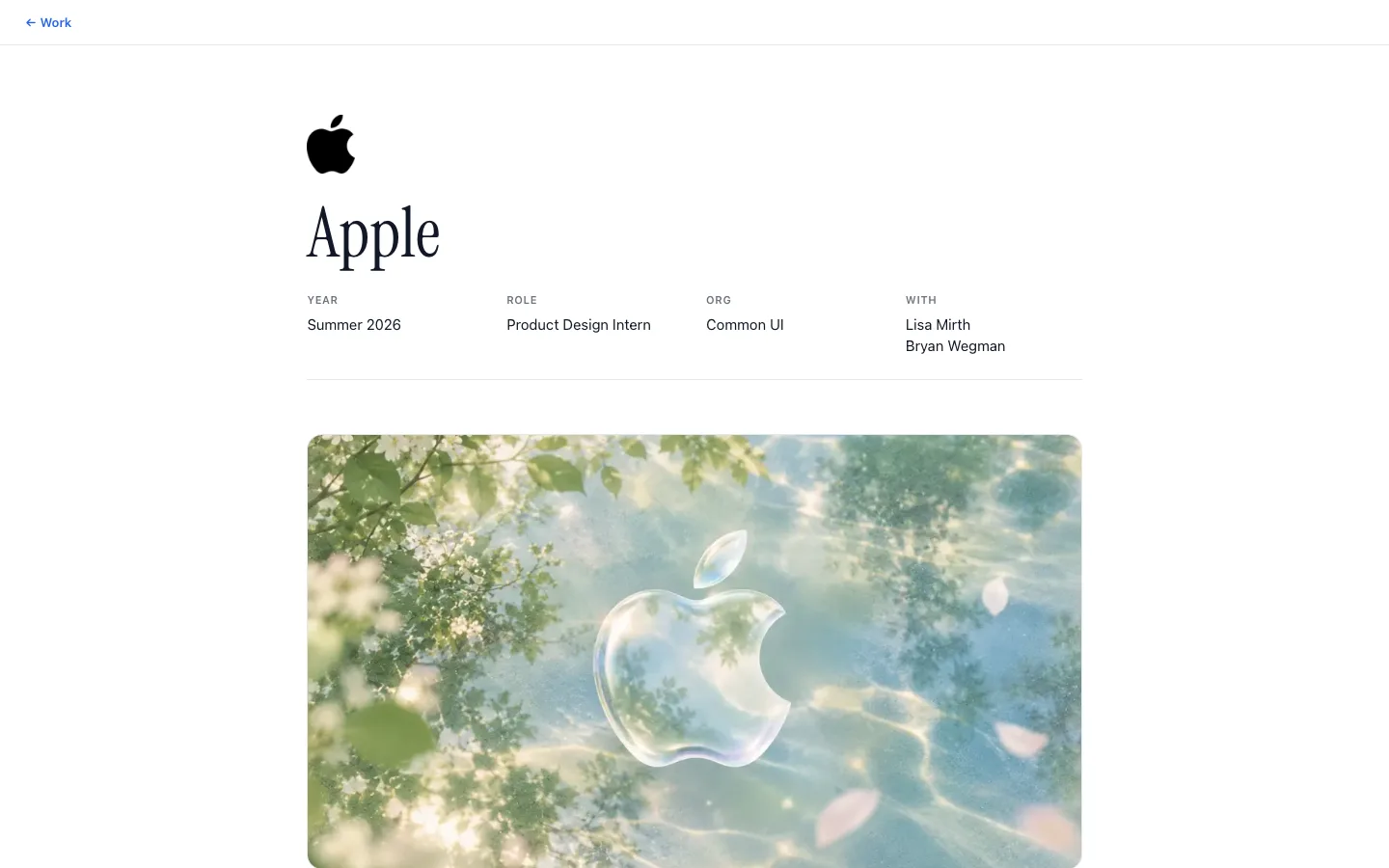
Case study page
The same white template as a full page, for direct visits and refreshes. Every study uses it; the content is MDX.
case/CaseStudy.tsxFigma 8312:10220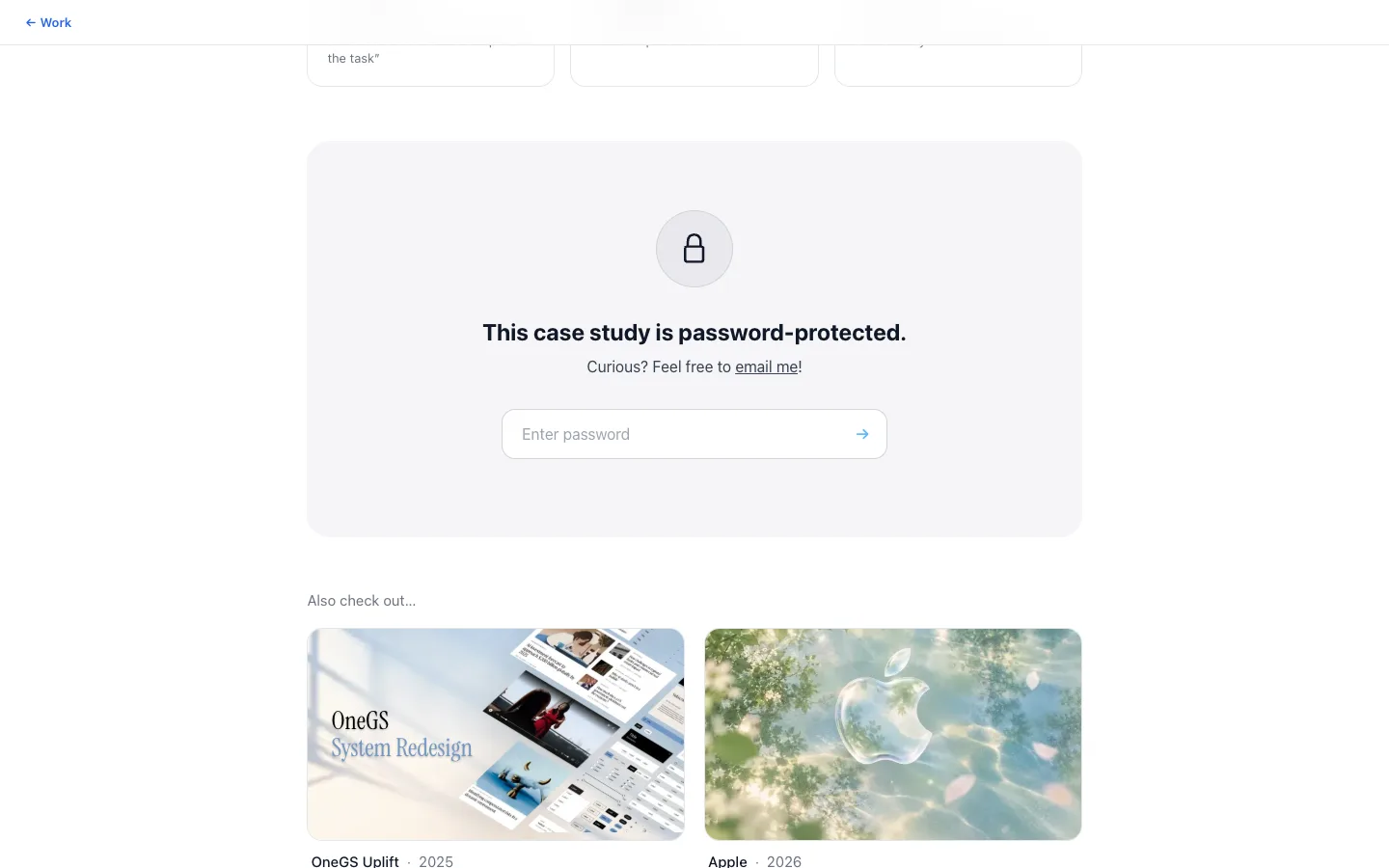
Lock panel
Protected studies check the password on the server; their full story is only loaded after the cookie check.
case/LockPanel.tsxFigma 8300:1196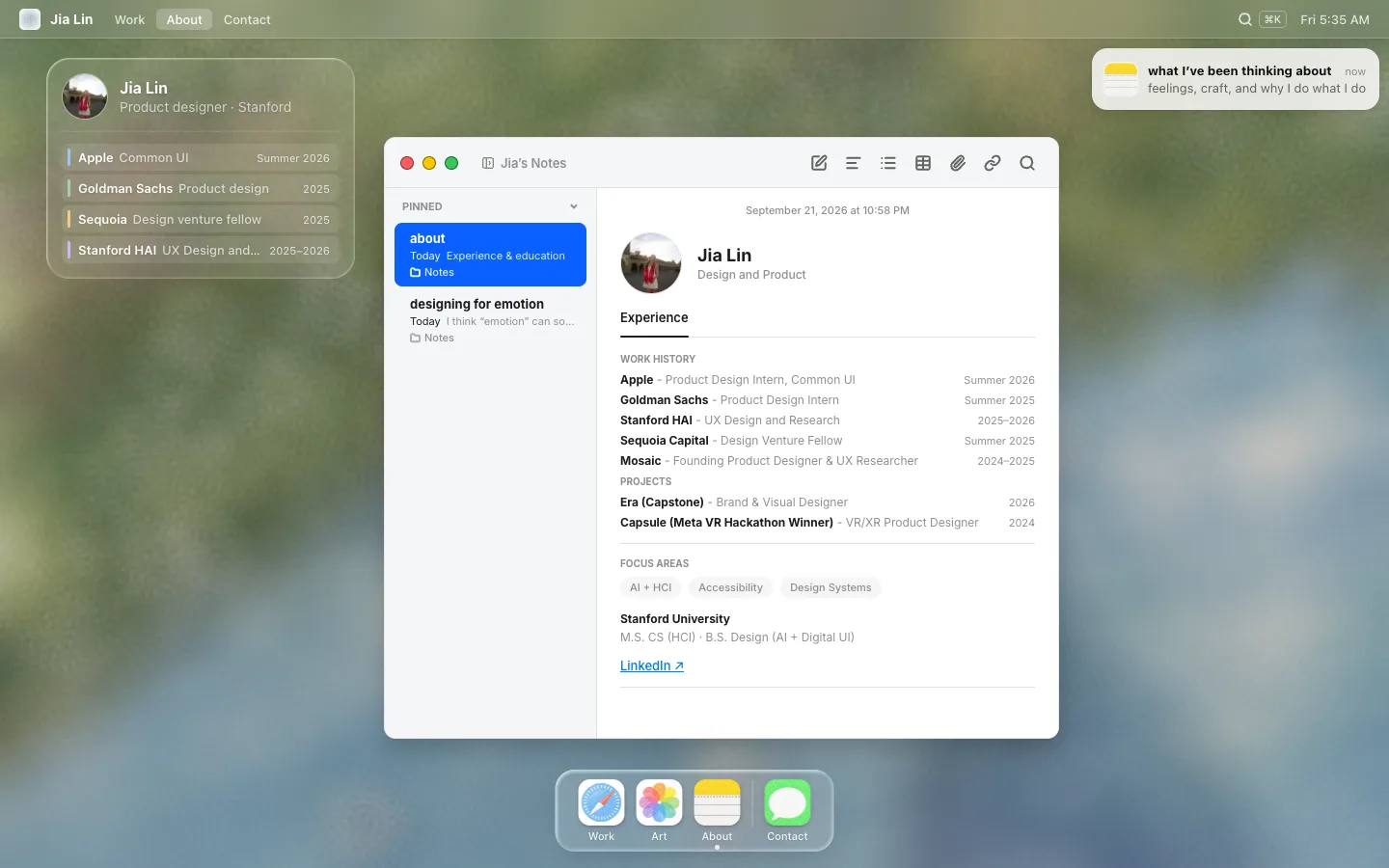
About · Notes window
Apple Notes with two notes: the about page, and the essay the desktop notification opens.
desktop/windows/NotesAboutWindow.tsxFigma 8494:6464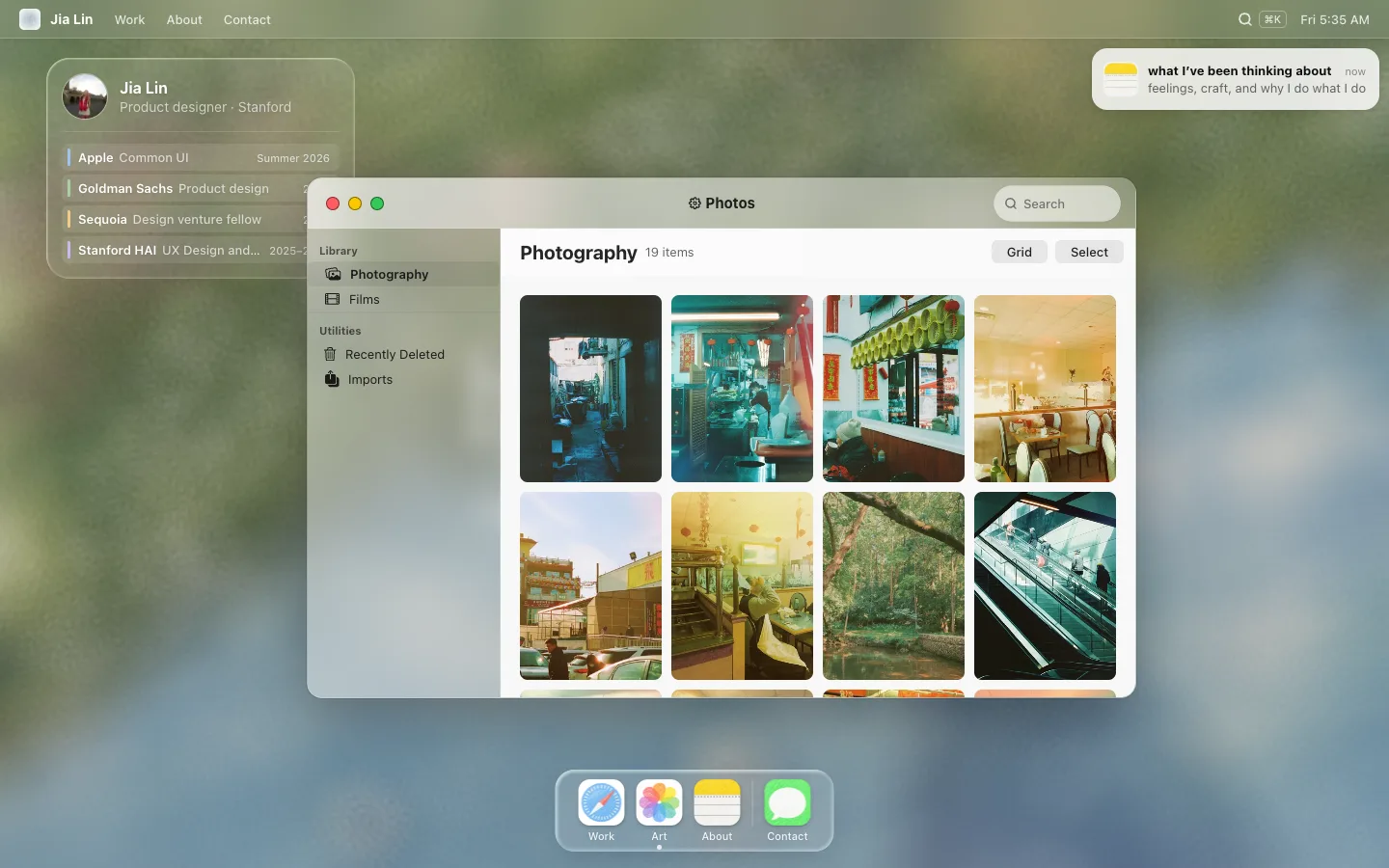
Art · Photos window
Photography and films. Items open in the Photos detail view; YouTube films play under macOS controls.
desktop/windows/ArtWindow.tsxFigma 8241:16331
Color
Everything on the desktop sits on a painting, so most of the palette is white at different strengths. Each swatch is shown over the painting and over white.
text
- Aa
text-primary#ffffff - Aa
text-strongrgba(255, 255, 255, 0.9) - Aa
text-secondaryrgba(255, 255, 255, 0.8)
glass
glass-barrgba(255, 255, 255, 0.09)glass-widgetrgba(255, 255, 255, 0.13)glass-chiprgba(255, 255, 255, 0.1)glass-borderrgba(255, 255, 255, 0.2)glass-border-strongrgba(255, 255, 255, 0.33)glass-separatorrgba(255, 255, 255, 0.14)glass-dock-dividerrgba(255, 255, 255, 0.27)
window chrome
window-titlebar-borderrgba(255, 255, 255, 0.1)
Window controls
traffic-close#ff5c60traffic-minimize#fac800traffic-zoom#35c759traffic-borderrgba(0, 0, 0, 0.45)
Hero cards
card-about-bgrgba(255, 255, 255, 0.1)card-avatar-borderrgba(255, 255, 255, 0.38)card-row-bgrgba(255, 255, 255, 0.1)- Aa
card-row-mutedrgba(255, 255, 255, 0.7) - Aa
timeline-apple#9cc4ec - Aa
timeline-goldman#a9cfa0 - Aa
timeline-sequoia#efcb86 - Aa
timeline-hai#c9b8ec - Aa
text-card-subtitlergba(255, 255, 255, 0.65)
Notification
notif-bgrgba(255, 255, 255, 0.82)notif-close-bgrgba(246, 246, 246, 0.92)notif-close-borderrgba(0, 0, 0, 0.12)notif-icon-bg#f0f0f5notif-icon-borderrgba(255, 255, 255, 0.21)- Aa
notif-title#0d0d0d - Aa
notif-time#808080 - Aa
notif-bodyrgba(38, 38, 38, 0.7)
Radial darkening behind the headline
headline-scrimradial-gradient(ellipse 100% 100% at 50% 70%, rgba(0, 0, 0, 0.25) 0%, rgba(0, 0, 0, 0.12) 70%, rgba(0, 0, 0, 0) 100%)
Dock
dock-mini-bg#f6f6f8glass-dockrgba(255, 255, 255, 0.15)dock-over-window-bgrgba(96, 104, 114, 0.5)
Glass windows
window-glass-bgrgba(255, 255, 255, 0.12)window-glass-scrimlinear-gradient(rgba(22, 36, 50, 0.3), rgba(22, 36, 50, 0.3))- Aa
window-glass-titlebarrgba(255, 255, 255, 0.08) window-glass-dividerrgba(255, 255, 255, 0.05)video-bgrgba(0, 0, 0, 0.85)
Keyboard focus rings
focus-ring-on-darkrgba(255, 255, 255, 0.95)focus-ring-on-lightrgba(29, 29, 31, 0.85)
Figma
photos-content#f8f8f8- Aa
photos-inkrgba(0, 0, 0, 0.85) photos-item#1a1a1a- Aa
photos-labelrgba(0, 0, 0, 0.6) photos-accent#0088ffphotos-selectedrgba(0, 0, 0, 0.07)photos-dividerrgba(0, 0, 0, 0.06)photos-buttonrgba(0, 0, 0, 0.08)- Aa
photos-search-ink#727272 photos-search-bgrgba(255, 255, 255, 0.55)photos-tile#a3a3a3photos-play-overlayrgba(0, 0, 0, 0.35)photos-play-bgrgba(255, 255, 255, 0.85)photos-viewer#ffffff
One shading for every dock icon
dock-icon-edgergba(0, 0, 0, 0.08)
Dock tooltip, not in Figma
dock-tip-bgrgba(236, 236, 232, 0.82)dock-tip-borderrgba(255, 255, 255, 0.6)- Aa
dock-tip-ink#1d1d1f
Messages window
messages-page#ffffffmessages-barrgba(246, 246, 246, 0.92)messages-linergba(0, 0, 0, 0.08)messages-in#e9e9eb- Aa
messages-in-ink#000000 messages-meta#8e8e93
404 alert
alert-bgrgba(246, 246, 246, 0.84)alert-borderrgba(255, 255, 255, 0.6)- Aa
alert-ink#1d1d1f - Aa
alert-bodyrgba(29, 29, 31, 0.72) alert-buttonrgba(0, 0, 0, 0.06)alert-button-hoverrgba(0, 0, 0, 0.1)
Desktop right-click menu + Get Info
- Aa
context-menu-selectedrgba(0, 0, 0, 0.08) - Aa
context-menu-separatorrgba(0, 0, 0, 0.1) info-page#f6f6f6info-linergba(0, 0, 0, 0.08)- Aa
info-label#6e6e73
Stanford light over the painting
light-goldenrgb(255, 158, 77)light-nightrgb(31, 43, 92)
Control Center
cc-tile-bgrgba(0, 0, 0, 0.05)cc-tile-hoverrgba(0, 0, 0, 0.08)cc-glyph-offrgba(0, 0, 0, 0.08)cc-glyph-on#1d1d1fspotlight-bgrgba(255, 255, 255, 0.82)- Aa
spotlight-ink#0d0d0d - Aa
spotlight-bodyrgba(38, 38, 38, 0.7) - Aa
spotlight-faint#6e6e73 spotlight-selectedrgba(0, 0, 0, 0.07)spotlight-dividerrgba(0, 0, 0, 0.06)
Window and page palettes (10 groups)
Safari "Work" window
menubar-selected-bgrgba(255, 255, 255, 0.22)scrollbar-thumbrgba(0, 0, 0, 0.28)
Safari 26
safari-capsule-bgrgba(255, 255, 255, 0.78)safari-capsule-dividerrgba(60, 60, 67, 0.16)safari-tab-hoverrgba(0, 0, 0, 0.04)safari-segment-bgrgba(0, 0, 0, 0.05)safari-page#ffffffsafari-borderrgba(0, 0, 0, 0.1)safari-toolbarrgba(236, 238, 241, 0.86)safari-dividerrgba(0, 0, 0, 0.06)safari-iconrgba(60, 60, 67, 0.8)safari-icon-dimrgba(60, 60, 67, 0.3)- Aa
safari-ink#1d1d1f - Aa
safari-ink-strong#1c1c1e - Aa
safari-ink-card#1d1d1f - Aa
safari-ink-muted#86868b safari-pill-bgrgba(255, 255, 255, 0.8)safari-pill-borderrgba(0, 0, 0, 0.1)
Notes "About" window
notes-chromergba(244, 245, 246, 0.9)notes-line#e0e0e0- Aa
notes-ink#1c1c1e - Aa
notes-muted#8e8e93 notes-selected#0a60ffnotes-selected-soft#e0f0ffnotes-tagrgba(0, 0, 0, 0.04)button-blue#007aff
Case study pages
case-page#f5f5f7case-window#ffffffcase-chrome#f9fafbcase-line#e5e7eb- Aa
case-ink#111827 - Aa
case-muted#6b7280 - Aa
case-body#374151 - Aa
case-faint#86868b - Aa
case-link#2563eb case-barrgba(255, 255, 255, 0.85)case-sheet-scrimrgba(0, 0, 0, 0.18)case-hero-tintlinear-gradient(90deg, #e2e4ec, #f1edf6 50%, #ebf1f5)case-badge-blue-bg#e0e6f8case-badge-blue#2563ebcase-badge-green-bg#ecfdf5case-badge-green#059669case-error#c81e1e
Protected stories
- Aa
case-body-strong#111827 case-accent#2563ebcase-accent-midrgba(37, 99, 235, 0.45)case-accent-softrgba(37, 99, 235, 0.18)case-bar-lead#60b8ff- Aa
case-bar-muted#cbd5e1 case-bar-current#d1d5dbcase-tint-bg#eff6ffcase-tint-line#bfdbfecase-missing-bg#fee2e2case-missing#b91c1ccase-partial-bg#fef3c7case-partial#92400ecase-unlocked-bg#ecfdf5case-unlocked-line#a7f3d0case-unlocked#047857case-insight-bg#fff7f8case-insight-linergba(244, 164, 176, 0.3)
Capsule
cover-accent#7297c5- Aa
cover-apple-title#e5e5ea cover-apple-glowrgba(248, 248, 248, 0.25)cover-apple-glow-hoverrgba(248, 248, 248, 0.5)cover-lightrgba(255, 255, 255, 0.55)case-violet#6d28d9case-violet-bg#f5f3ffcase-violet-line#ddd6fecase-grad-warmlinear-gradient(225deg, #ff967d 14.6%, #f4a4ce 85.4%)case-grad-coollinear-gradient(225deg, #f4a4ce 14.6%, #6c8cee 85.4%)case-grad-deeplinear-gradient(225deg, #6c8cee 14.6%, #9678e6 85.4%)
Lock panel
lock-panel-bg#f5f5f7lock-icon-bg#e8e8edlock-line#d1d5db- Aa
lock-placeholder#9ca3af lock-arrow#60b8ff
Photos window
photos-glasslinear-gradient(90deg, rgba(255, 255, 255, 0.4), rgba(255, 255, 255, 0.1))photos-barlinear-gradient(90deg, rgba(255, 255, 255, 0.5), rgba(255, 255, 255, 0.2))photos-borderrgba(255, 255, 255, 0.2)
Player controls
player-barrgba(40, 40, 40, 0.55)player-bar-edgergba(255, 255, 255, 0.14)- Aa
player-ink#ffffff player-trackrgba(255, 255, 255, 0.3)
Safari page-load progress line
safari-progress#0a84ff
Materials
Liquid glass
The About card and the dock use Figma's Glass effect. CSS can't refract, so a WebGL shader draws it: each surface registers its live position, and the shader bends, splits and frosts the painting under it, then adds the light rim. No borders; a CSS blur is only the fallback without WebGL.
| Parameter | About card | Dock |
|---|---|---|
| Refraction | 0.5 | 0.71 |
| Depth | 30px | 49px |
| Dispersion | 0.4 | 0.56 |
| Frost | 0 | 90 |
| Light angle | 315° | 315° |
| Light intensity | 0.7 | 0.8 |
| Radius | 24px | 20px |
Glass type
“hey! i'm jia” is solid white text run through an SVG filter: the fill at Figma's opacity, drop shadows cut out of the glyphs (a CSS text-shadow would show through the translucent letters), and a lit bevel with a faint dispersion fringe from the Figma light angle.
Blur
blur-glass | 10px | windows, work tiers |
|---|---|---|
blur-menu-bar | 20px | |
blur-card | 12px | light cards, dock, glass windows |
Typography
- hey! i'm jiaInstrument Serif · The headline, and every case study title and display line 6 files
- i care about how thingsGeist · Headline line 2 and the case study cover art 2 files
- feelCedarville Cursive · One handwritten word 2 files
- Work · Art · About · ContactSF Pro Rounded · The default: menu bar, cards, dock labels, case study body copy 7 files
- Photography · 18 itemsSF Pro Text · Window chrome, Safari and Photos, the notification, dock tooltips 17 files
- Design and ProductInter · The Notes window, as in Apple Notes 1 file
Scale
- Aa
text-1010pxcaps eyebrows - Aa
text-1111pxtimestamps, dates, caps section headers - Aa
text-1212pxchips, subtitles, role rows - Aa
text-1313pxmenu items, body in windows, card copy - Aa
text-1414pxmenu bar name, expanded subtitle - Aa
text-1515pxAbout card description - Aa
text-1616pxwidget name - Aa
text-1717pxlock panel title - Aa
text-1818pxproject window title - Aa
text-2020pxfeatured case study title, Photos album title - Aa
text-2222pxnote title - Aa
text-2424pxexpanded widget name - Aa
text-3232pxheadline line 2 (Geist) - Aa
text-5656pxfull-screen Work intro name - Aa
text-128128pxheadline line 1
Weights
- regular 400
- medium 500
- semibold 600
- bold 700
Spacing
The px values used across the Figma frames, kept as they were.
Radius
radius-bubble18pxradius-alert26pxradius-context-menu12pxradius-spotlight-field30pxradius-spotlight-row14pxradius-menu-item6pxradius-chip8pxchips, note rowsradius-tile-sm10pxcard icon tiles, images, notification iconradius-tile12pxdock app tiles, Get Info windowsradius-window16pxradius-glass20pxwidget, dock, notificationradius-glass-lg24pxexpanded widget, lock panel, app windowsradius-round999px
Shadows
notif-shadowdock-shadowsafari-capsule-shadowsafari-card-shadownotes-shadowcase-shadowcase-sheet-shadowphotos-shadowdock-icon-shadowdock-tip-shadowalert-shadowspotlight-shadowshadow-barshadow-glassshadow-window-lifted
Motion
One vocabulary for every interaction, mirrored in motion.ts for the Web Animations API. Things move with transform and opacity; masks draw things in (“feel”, these blueprint outlines). Every effect has a reduced-motion off switch.
--ease-outquick start, long soft landing--ease-expandsheet ⇄ full page: even sweep, ~50% at 1/4 time (liumichelle.com)--ease-inexits: get out of the way--ease-springDuration
Components
Live specimens of the desktop pieces, built from the same CSS modules the desktop uses. The window controls follow Apple's macOS 27 kit.
 Work
Work Art
Art About
About Contactwhat I've been thinking aboutnowfeelings, craft, and why I do what I do
Case study blocks
Case studies are MDX written with 40 blocks, all on one white template. A few, live, with the words from the studies they come from:
Key insight
Nothing is shown until someone opens it: in the book, on the posters, and in the room.
How might we
…recreate the immediacy of visual perception with immersive soundscapes, so blind and low-vision visitors can explore art on their own?
- 180hackers competing
- 36hours to build
- 4people on the team
“Nothing lasts. Still, it did.”
“For a while, this was everything.”
Where each block is used
| Block | Studies |
|---|---|
<Split> | Apple, Capsule, Era, Goldman Sachs, Mosaic, OneGS, Sequoia |
<Statement> | Apple, Capsule, Era, Goldman Sachs, Mosaic, OneGS, Sequoia |
<Hero> | Apple, Capsule, Goldman Sachs, Mosaic, OneGS, Sequoia |
<Cards> | Capsule, Era, Mosaic, Goldman Sachs, OneGS · incl. a protected story |
<Section> | Capsule, Era, Mosaic, Goldman Sachs, OneGS · incl. a protected story |
<StoryBody> | Capsule, Era, Mosaic, Goldman Sachs, OneGS · incl. a protected story |
<Figure> | Era, Mosaic, Goldman Sachs, OneGS · incl. a protected story |
<DataTable> | Capsule, Goldman Sachs, OneGS · incl. a protected story |
<ProblemStatement> | Era, Mosaic, Goldman Sachs · incl. a protected story |
<Video> | Era, Mosaic, Goldman Sachs · incl. a protected story |
<DisplayTitle> | Capsule, Sequoia |
<FigurePair> | Goldman Sachs, OneGS · incl. a protected story |
<Highlights> | Era, Mosaic |
<KeyInsight> | Era, Mosaic |
<Learnings> | Era, Mosaic |
<Lede> | Capsule, Sequoia |
<PhotoRow> | Era, Mosaic |
<QuoteCards> | Era, Mosaic |
<Results> | Goldman Sachs, OneGS |
<BarChart> | Goldman Sachs · incl. a protected story |
<BulletCards> | Capsule |
<ConceptMap> | Mosaic |
<Detail> | Sequoia |
<FlowDiagram> | Capsule |
<Gallery> | Apple |
<HeroVideo> | Era |
<Journey> | Capsule |
<ListCard> | Mosaic |
<MetricCompare> | Goldman Sachs · incl. a protected story |
<Mockup> | OneGS · incl. a protected story |
<Personas> | Capsule |
<Project> | Apple |
<Projects> | Apple |
<Quotes> | Goldman Sachs · incl. a protected story |
<RowName> | Capsule |
<StackedBar> | OneGS · incl. a protected story |
<Stat> | Sequoia |
<StatTiles> | Capsule |
<Status> | OneGS · incl. a protected story |
<TextLink> | Capsule |